See your next dua
and repetition count.
See your current day, the next verse and how many times to recite it. Switch between Arabic, transliteration and meaning, then continue with “I Recited It, Continue”.
How to use it ↗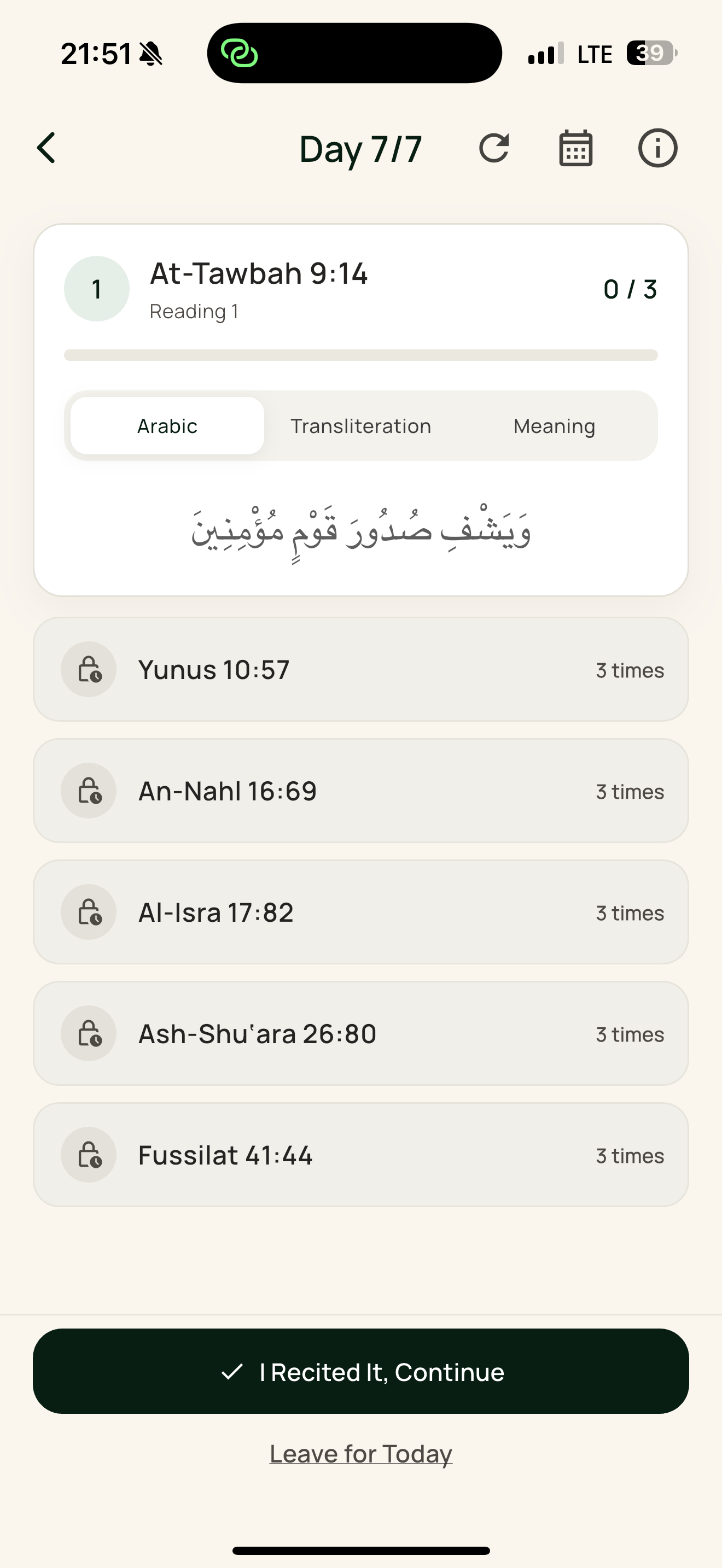
 minel®TR
Find duas for your intentions and follow your daily wird in order. Count your recitations with the digital dhikr counter and see your goal, today’s count and total progress in one place.
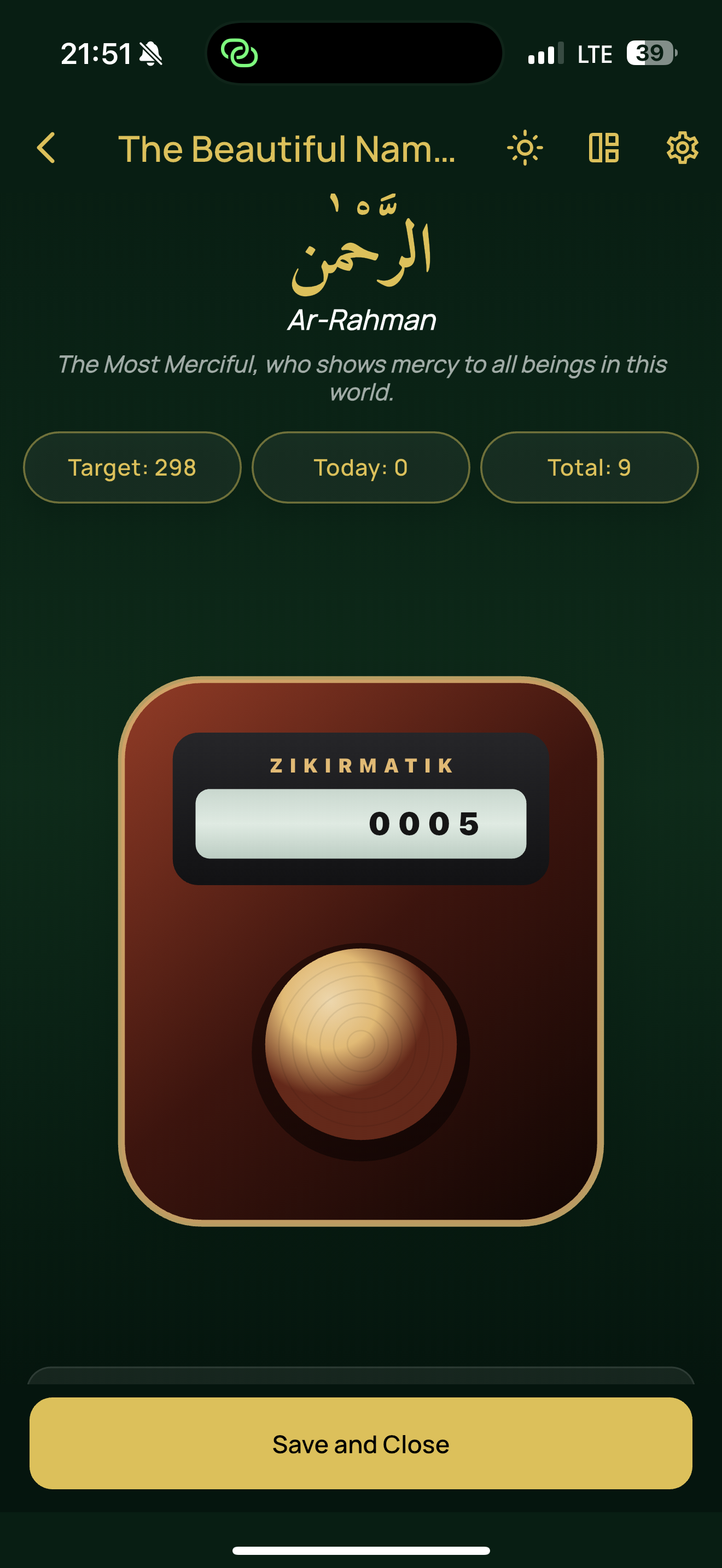
Browse Minel’s duas by category. Select a category to see the prayer names and plan durations.
Duas and reading plans in the evil eye category:
Use the Minel app for prayer texts, transliterations and recitation tracking.
Download Minel ↗Duas and reading plans in the healing category:
Use the Minel app for prayer texts, transliterations and recitation tracking.
Download Minel ↗Duas and reading plans in the protection category:
Use the Minel app for prayer texts, transliterations and recitation tracking.
Download Minel ↗Duas and reading plans for children and family:
Use the Minel app for prayer texts, transliterations and recitation tracking.
Download Minel ↗Duas and reading plans for marriage and a good match:
Use the Minel app for prayer texts, transliterations and recitation tracking.
Download Minel ↗Duas and reading plans for debt and livelihood:
Use the Minel app for prayer texts, transliterations and recitation tracking.
Download Minel ↗Duas and reading plans for comfort and peace of heart:
Use the Minel app for prayer texts, transliterations and recitation tracking.
Download Minel ↗Duas and reading plans for sleep and nighttime:
Use the Minel app for prayer texts, transliterations and recitation tracking.
Download Minel ↗Duas and reading plans for provision, gratitude and blessings:
Use the Minel app for prayer texts, transliterations and recitation tracking.
Download Minel ↗Duas and reading plans for repentance and forgiveness:
Use the Minel app for prayer texts, transliterations and recitation tracking.
Download Minel ↗Duas and reading plans for wishes and needs:
Use the Minel app for prayer texts, transliterations and recitation tracking.
Download Minel ↗Daily wird, a digital dhikr counter and the Names of Allah: see what you have recited and what comes next in each section.
See your current day, the next verse and how many times to recite it. Switch between Arabic, transliteration and meaning, then continue with “I Recited It, Continue”.
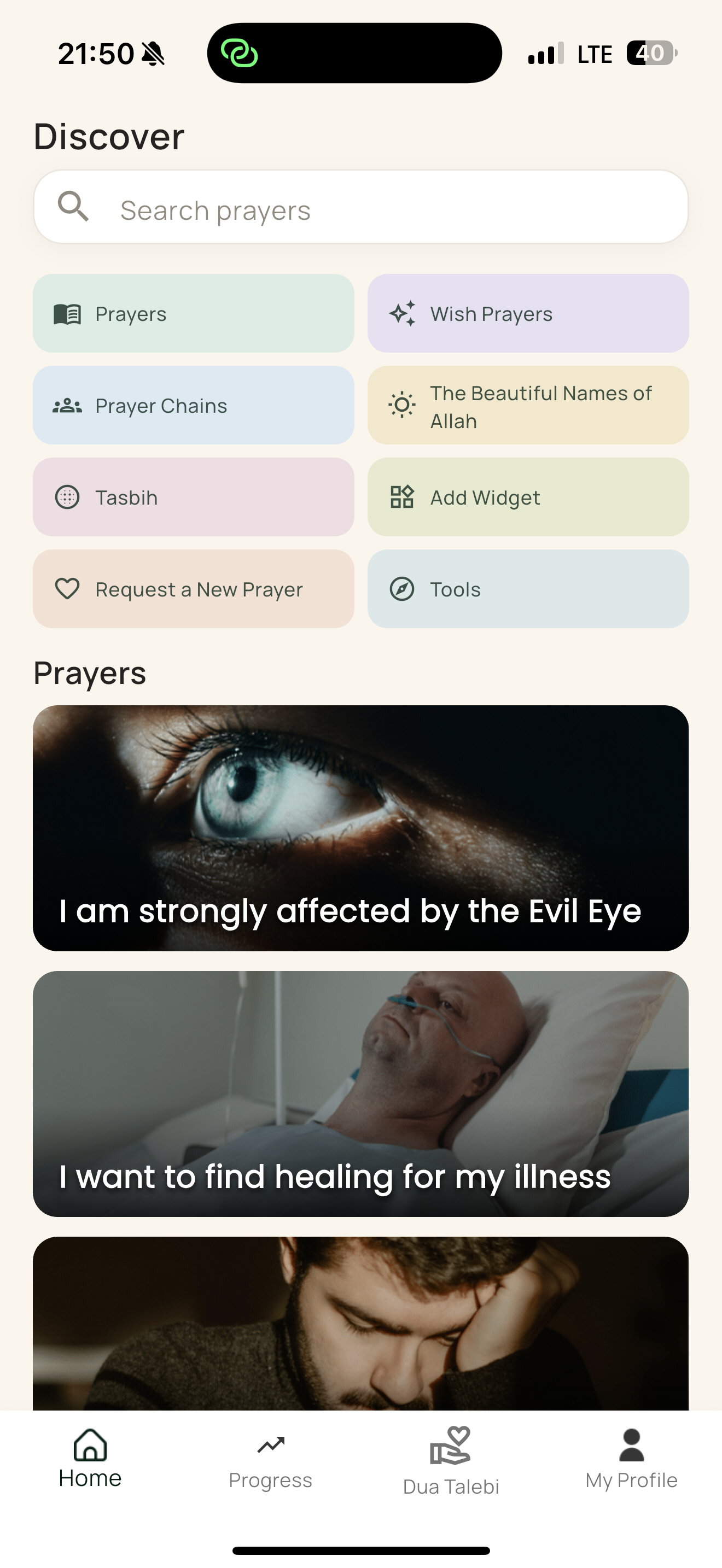
How to use it ↗Tap the screen to count while reading your dua. Follow your count under Target, Today and Total, then use “Save and Close” to save your recitations.
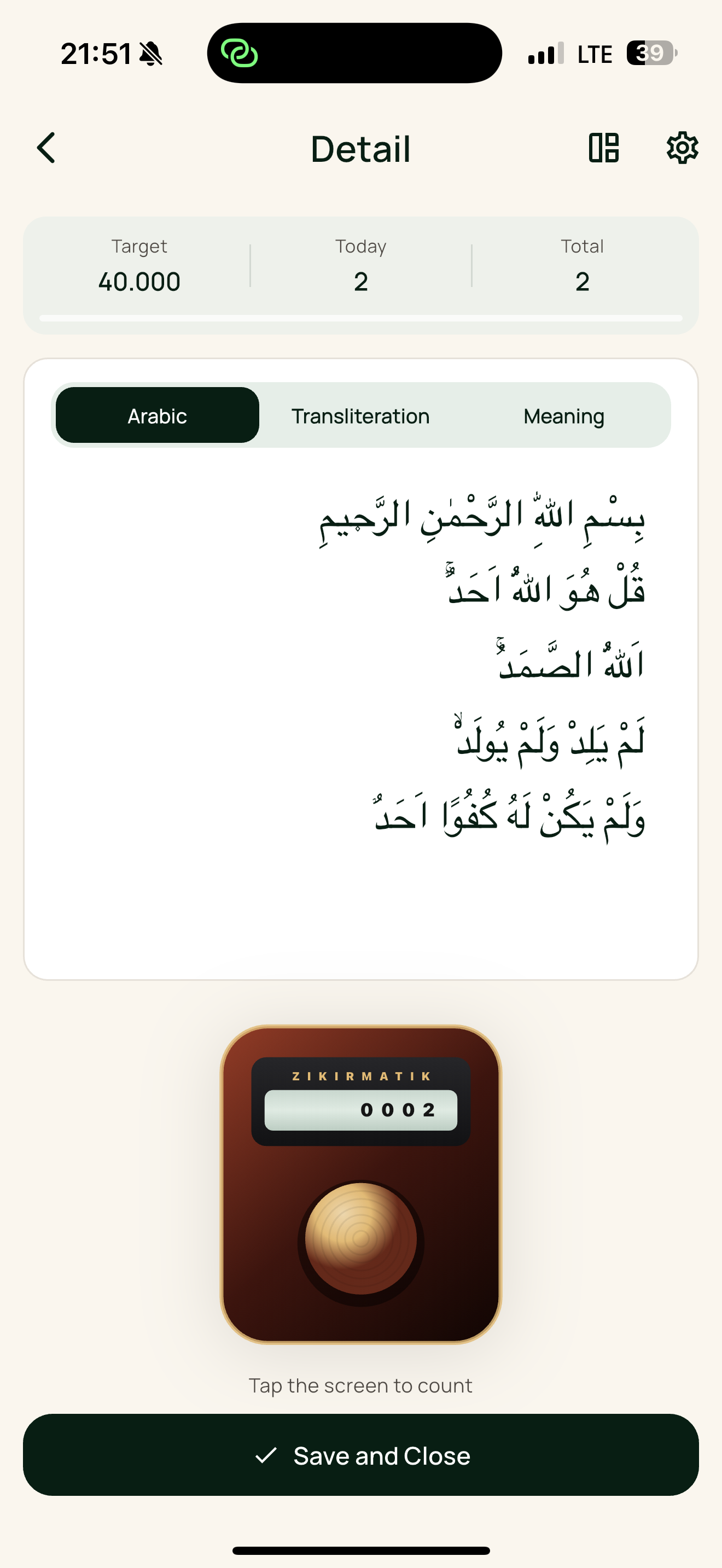
Read your chosen name in Arabic and learn its meaning. Use the dhikr counter while viewing your Target, Today and Total on the same screen.
Follow the compass direction and remaining angle to align yourself with the qibla.
Join shared salawat and istighfar recitations. See the number of participants and the group’s total progress.
Browse duas and recitation goals for intentions such as forgiveness, exams and marriage.
Dua categories, daily plans, the dhikr counter, the Names of Allah, community duas and the qibla compass. Tap a screen to see the details.
Actual screenshots from the English version of Minel.
As shown with Surah Al-Ikhlas, choose between Arabic, transliteration and meaning. Use the counter below the text and see your goal and total recitations above.
View on Google Play ↗Choose your dua.
Recite. Count. Save.
Start by choosing a dua plan in Discover, then save your progress from the recitation screen.
Search for a dua or browse the categories. Check the duration or number of rounds on each plan and open the one you want to read.
Follow the next text and repetition count on the daily wird screen. Use “I Recited It, Continue” after each recitation.
Follow Target, Today and Total on the dhikr counter. Use “Save and Close” to save your count, or “Leave for Today” to pause a reading plan.
About recitation screens and tracking features.
The plan’s current day appears at the top, with the text and repetition count for each recitation below. Choose Arabic, transliteration or meaning, then use “I Recited It, Continue”. Select “Leave for Today” when you want to pause.
Target, Today and Total show your recitation progress. Tap the screen to increase the counter, then select “Save and Close” to save it.
Each name’s Arabic spelling and meaning appear alongside your dhikr goal, today’s count and total. Track your recitations with the counter on the same screen.
Community duas show the number of participants and shared recitation progress for a common intention. Duas for wishes list prayers and goals for intentions such as forgiveness, exams and marriage.
Follow the on-screen compass, directions such as “Turn Right” and the remaining angle to align yourself with the qibla.
Download Minel from the App Store or Google Play. You can explore in-app purchases and Premium subscription options within the app.
Find duas, daily wird plans, a digital dhikr counter and community duas in Minel.
In-app purchases and Premium subscriptions are available.